Inventory Management System
Release Date: November 21, 2001
Prepared by: Thomas Bronack
Section Table of Contents
1.1. Introduction
to Inventory Management
1.1.6. Integrated Inventory Management
System
1.1.7. SMC Discipline Interfaces
1.1.8. Inventory Management disciplines
and interfaces
1.2.3. Inventory Management Process
1.2.4. Inventory Management Flow
1.3.1. 1. Non-Controlled ACR Entry:
1.3.2. 2. Controlled ACR Entry:
1.3.3. Implementation of Inventory
Management
1.3.6. Data Requirements for Inventory
Management
1.3.7. Inventory Management Data Model
1.3.8. Collecting, Monitoring and
Reporting Data
1.3.9. Inventory Management Record Hierarchy
1.4.1. Business Function Interfaces
1.4.2. System Management Interfaces
1.5. Inventory
Management Tools
1.5.1. Asset Management at the System to
Server Level
1.5.3. Downstream Network Server
Configuration and Inventory Management
1.6. Roles
and Responsibilities
1.7.1. Present System Weaknesses
1.7.2. Recommendations for Improvement
Section List
of Figures
Figure 1. Asset Management phases and operations
Figure 2: Overview of Inventory
Management functional areas.
Figure 3: Overview of an
integrated Inventory Management System.
Figure 4: SMC Discipline
Interfaces .
Figure 5: Inventory Management
System - Overview
of Process
Figure 6: Inventory System
Flow Diagram
Figure 7: Inventory Management
Data Model
Figure 8: Inventory Management
Record Hierarchy
Figure 9: Asset Management
at the System to Server
Level
Figure 10: Downstream Network
Server and Inventory
Management
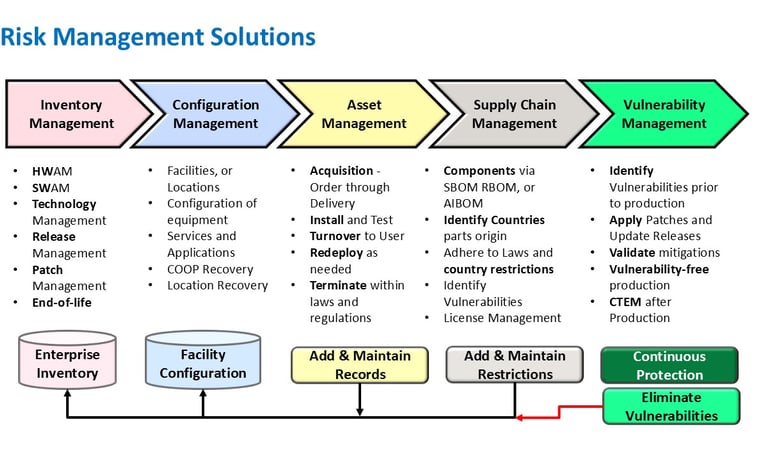
Inventory Management is an enterprise-wide discipline
concerned with the identification and tracking of Information Services (IS)
hardware and software assets. Its three
main areas of concern are:
Acquisition.
Redeployment.
Termination.

Figure 1.
Asset Management phases and operations
Acquisition
procedures are established to assist personnel in procurement of software and
hardware products. Its main purpose is
to ensure that proper justifications are performed and that financial
guidelines are followed. Acquisitions
require “Purchase Orders” to track and authorize the purchase, while the actual
installation of equipment is performed by the Infrastructure or Facilities
Management Department. Once added to
the environment, a Master Inventory record is created to describe the newly
added equipment and its components (i.e., Pentium IV PC with 512 MB or RAM, a
40 GB Hard Drive, CD Drive, Floppy Drive, Sound and Video Cards, a 56 KB Modem
and a 10/100 Ethernet Connection, etc.).
Inventory records can be used to calculate the resale price of existing
equipment, when planning for an upgrade / replacement or reduction in
size. The Inventory Report can be used
to inform buyers of your stock and obtain bids on the purchase of your surplus
equipment.
Redeployment
procedures are responsible for ensuring that assets are tracked when moved from
one location to another and that budgetary considerations are adjusted as
needed. Should a product be moved in
from its original owner, then the Inventory System is updated to reflect the
new location and owner. In this case,
the old product is deleted from the original owner's budget and added to the
new owner's budget. If equipment is
being deployed from one person, or location, to another, then a data wipe
operation must be performed to insure that sensitive business, personal and/or
medical information has been deleted.
If data wiping procedures are not performed in accordance to Department
of Defense standards, then the company is open to legal and civil penalties as
defined in a number of laws (i.e., Sarbanes-Oxley, Gramm-Leach-Bliley,
HIPAA) Redeployment requests can
generate transportation activity (pick-up and delivery of equipment),
facilities management activity (disconnecting device, data wipe, reconnecting
device, etc.), inventory management update, and service activities associated
with the device(s) being moved.
Termination is
responsible for deleting the asset from the inventory when it is discontinued,
or replaced. The owner's budget will be
updated to reflect the asset termination and the asset will no longer be listed
when location reports are generated.
Whenever equipment is being terminated (even if for donation to
charities or employees) a data wipe operation must be performed to eliminate
any sensitive information from the hard drive.
Additionally, a certified vendor must be utilized to insure that the
computers components are disposed of in an environemtally friendly manner. This scrapping process must be certified, so
that legal and civil penalties are no longer the responsibility of the
terminating firm but rather the scrapping organization.
The Inventory System
is maintained within a data base that ties an asset to its owner and defines
the location where the asset resides.
The relative importance of the asset is added to the inventory record in
a Criticality field (i.e., Criticality = 1-5, where 1 is "Most
Critical") and the current status of the equipment is indicated via a
status field (A=Active, R=Redeploying, D=Donated, T=Terminated, etc.). Based on this information the contingency
planning specialist can plan asset recoveries needed to support critical
business operations and the facilities management group can schedule work
events associated with equipment status changes (i.e., from A to R, or A to T,
or A to D, etc.).
Like all data bases, the Inventory System will only be
effective if its information is kept current.
To ensure the accuracy of the Inventory System, while not adding too
great a burden to company personnel, every effort must be taken to implement
processes that maintain inventory data with a minimum work effort from
personnel. To that end, we suggest
automated form tied to equipment status and criticality changes, so that
facilities management and business continuity planning can adjust their
functions accordingly.
Inventory
Management provides:
Up-to-date information about data
processing resources through the creation and archiving of records in a
centralized repository.
Financial records specific to a single
component, or groups of components.
Component Status Indicators to identify a component as Active
(A), Redeployed (R ), Donated (D), or Terminated (T).
Component Criticality definition (1-5, with 1 being most
critical).
Service records for all components in
the inventory.
Data used to support configuration
diagrams of the hardware and software components contained within specific
locations, or the entire data processing environment.
Reports can be generated from the Inventory and Asset
Management Systems that would project the amount of revenue that can be
generated through the sale of surplus equipment, or to define the number of
components that have a criticality rating of ‘1’ so that you can project the
costs associated with maintaining duplicates of critical equipment at reovery
sites. Combining the two reports would
allow you to reroute equipment being scheduled for termination to the Recovery
Facility and eliminate the additional costs associated with purchasing
duplicate equipment in support of recovery needs.
The Inventory Management discipline encompasses all system
and data network elements from the mainframe to the server level throughout the
enterprise.
All mainframe and data network based hardware and software
assets must be identified and entered into the Inventory System. Any changes to these environments must be
reflected in the Inventory System.
Financial and technical product information must be
available through the Inventory System, as needed to support the functional
responsibilities of personnel within the finance and contracts management
departments.
Asset criticality must be included with asset descriptive and financial information, so that the Recovery Management department is supplied with the information it requires. Recovery actions must be implemented to safeguard critical assets.
Asset status must be included in the Inventory Management
system, so that the component(s) can be serviced in adherence to legal,
environmental, business, and industry requirements. This process should be used to drive the facilities management
department via form routing when components change status from active to
redeploy, donate, terminate, of scrap.
An audit trail of activities associated with equipment status changes
and associated actions must be maintained to certify actions and eliminate
legal and civil exposures.
The Standards and Procedures Manual section relating to
Inventory Management must be created and published. This section must describe the process by which assets are
identified, entered into the Inventory Management System, tracked, and finally
deleted. All information needed by
personnel to perform Inventory Management functions must be clearly described
within this S&P Manual section.
The mission of an Inventory System is to provide a Central
Asset Repository of information used to define assets and relate the asset
to its; owner, location, and relative importance. This information will provide personnel with data needed to
support their job functions, for example:
Facilities
Management will be able to plan Heating, Ventilation and Air Conditioning
(HVAC) requirements, as well as power and floor space needed to support
equipment listed in Asset Repository for a specific location. To also perform the functions needed to
adhere to legal, environmental, business, and regulatory requirements
associated with equipment redeployment and termination.
Financial
Services will be able to budget for asset procurement, depreciate assets
over time, and complete tax documents.
A report of equipment and their resale value can be used to aid in
planning equipment upgrades and to reduce the “Total Cost of Ownership”
associated with equipment.