Table of Contents
Personnel Productivity System (PPS)
Work Request Processing and Phases
Implementation Problems and Resource Optimization
Combining Workflow Management with Personnel Training and
Recruitment
Workflow Management System Overview
Workflow Management System components and process
Integrated Forms Management and Control System
Connecting workflow Management with Personnel Recruitment
Benefits derived through the Personnel Productivity
System (PPS)
PPS Implementation Goals and Objectives
Table
of Figures:
Figure 1: Why a Personnel Productivity System is needed
Figure 2:
Work Request Processing and Phases
Figure 3:
The Problem and your most valuable resource
Figure 4: Combining Workflow with Personnel Training and Recruitment.
Figure 5:
Workflow Management System Interface & Flow
Figure 6: Workflow Management System Components and Process
Figure 7:
Integrated Forms Management and Control System
Figure 8: Integrating Forms Management with Personnel Recruitment
Figure 9:
Benefits derived from the Personnel Productivity System
Figure 10:
Implementing the Personnel Productivity System
“Combining Workflow Management with Personnel
Training and Recruitment to meet the
needs of Business”
After 32 years of data processing experience, I have learned that improving productivity is the goal of every organization. But impediments to improving personnel productivity have stopped companies from optimizing the functions performed by staff and consulting personnel. To overcome these impediments, the Data Center Assistance Group, Inc. (DCAG) has developed the Personnel Productivity System (PPS).
The PPS combines Workflow Management with Personnel Training and Personnel Recruiting, so that the skills of your staff reflect the products and procedures presently utilized by the firm. As projects are created, their goals and tasks are examined to determine the functional areas that will be responsible for completing project tasks. The workload levels associated with these areas is then examined to insure that staffing levels are adequate to perform the project tasks. Additionally, if new products, tools, or procedures are being used, then designated personnel will be provided training prior to the time when project task work is to commence. This insures a trained and capable staff, reduces personnel tensions, and improves overall productivity (faster work, less errors, happier people, etc.).
Figure 1: Why a Personnel Productivity System is
needed

By improving employee training you will insure a quality staff that is capable of performing the functional responsibilities assigned to them. After improving employee training and skills, the next step in optimization is to improve Workflow Management (how work flows through an organization, and the quality associated with the work).
Workflow Management is associated with Forms and the Route taken by Forms when work requests are submitted and processed.

Figure 2: Work Request Processing and Phases
As you can see from the picture above, there are many steps and phases associated with developing and implementing applications within a data processing environment. To insure that applications perform the functions that they are designed to do, Quality Assurance and Application Testing functions must be performed. To insure that applications meet their objectives, Checkpoints are incorporated in the Project Life Cycle (PLC) followed by application developers. These Checkpoints insure that all personnel associated with the application are kept informed of the progress and problems associated with the application.
Functional areas establish informational requirements that must be meet prior to accepting an application into their area. For example, Testing and QA requirements must be met before an application can leave the Development (or Maintenance) environment. Again, the Production Acceptance area establishes its informational requirements before an application can leave the QA / Testing environment. Most of the time, these informational requirements are met through Forms, which are completed by the Application Developer, Tester, Quality Assurance Analyst, or Production Acceptance area as the application passes through the specific area.
Some of the problems associated with product or application implementation are listed below.

Figure 3: The Problem and your most valuable resource
As you can see, it becomes more important to keep personnel informed of ongoing improvements, new procedures, and new tools that increase productivity and the quality of work. Examples of loss productivity include: orientation (requires people to inform new personnel of procedures and where information can be obtained), Standards and Procedures (should be kept online and accessible by authorized personnel having a need for the information), User Manuals (for products and applications should be viewable online), Training Classes (should be kept online to supplement classroom training).
Some of the goals of the PPS are listed above, but the overall goal is to provide people with the information they need to efficiently perform the functional responsibilities assigned to them. A trained and aware employee is a happy and productive employee.
DCAG believes that it is important to combine Workflow Management with Personnel Training and Recruitment, so that projects can be accomplished on schedule and within budget. By insuring that personnel are trained and aware, fewer errors will be made and project tasks will be completed more rapidly. A Forms Management System (FMS) can be used to direct users to the form needed to define specific work tasks, or provide essential information. The FMS should assist personnel in the selection of appropriate forms, then validate that form information is correct and routed to the person associated with performing the next tasks associated with the form.

Figure 4: Combining Workflow with Personnel Training and Recruitment.
Should projects require new products, tools, or procedures, it is essential that personnel assigned to perform the work are trained prior to actually be assigned to complete the work item. If personnel workloads are exceeded, then in-house personnel can be promoted (based on their career path desires and current skills), or new personnel recruited. The promotion, hiring, orientation, and training of new project personnel should be accomplished prior to having tasks assigned to them.

Figure 5: Workflow Management System Interface & Flow
When Work Requests are submitted to the Workflow Management System they are examined to determine if the workload placed on the designed employee is above a predefined threshold. If so, then the Automated Personnel System (APS) is notified of the needed additional staff. If the workload level is within acceptable parameters, but a new tool / product / procedure is associated with the work request, then the Automated Training System (ATS) is notified of the need to schedule personnel for training.
Once the work is assigned to an individual (many individuals could perform separate tasks associated with a work request), it is logged and tracked until completed. As the work request is moved from one individual to the next, the userid of the worker is logged along with the amount of time spent on the work request by that individual. This information is maintained within a log file that can be reported on through canned or ad-hoc reports. Through this information, management will be able to isolate workflow bottlenecks and determine employee performance. Both management and personnel can review performance statistics that can be used to supplement employee evaluations during annual reviews. Employees can raise levels and management can assist low performing personnel through supplemental courses and training.

Figure 6: Workflow Management System Components and Process
The Workflow Management System has a user interface that will assist users in the selection, completion, routing, tracking, and coordination of work requests. Users are added to the system via User Profiles that contain specific information needed to route work requests to them. Forms are kept within a Database Library, while documentation and procedures are maintained within a Documentation Library. Forms are presented to users along with help and tutor panels. All form fields are data entry validated, with error messages displayed when fields are not correctly completed. Tutor panels provide detailed information associated with the form and its fields.
Once forms are completed, they are logged, assigned to the person next in line to work on the request, tracked from inception to completion, measured and analyzed to compare against similar work request, and reported on.
The information obtained from this system can be used to better judge the amount of time needed to perform tasks, since most projects are comprised of similar tasks performed in various sequences, it is possible to better judge task times based on past performance and measurements. The range of reports that can be generated from this system can be used to assist most every functional area within a data processing organization, from planning through implementation functions.

Figure 7: Integrated Forms Management and Control System
Form selection is aided through a user interface included with the Forms Management System, which selects the appropriate form from the Forms Library (a Database Management System Form). The submitter then completes the form and routes it to the individual or functional areas next responsible for working on the request. A Personnel Matrix is used to locate personnel with the skills needed to perform work request tasks. This matrix is part of the Automated Training System (ATS). New work requests are analyzed to determine if they push current staff workloads above a predefined threshold,
or if the work request requires the use of new tools, products, or procedures. If so, then a training session is scheduled for the targeted employee. Training sessions can be comprised of vendor certifications (i.e., MCSE, Cisco, etc.), Academic Organizations (Colleges, etc.), or Standards and Procedures from in-house or web based Documentation Libraries. When accomplished, the person’s Learning Skills Matrix is updated to reflect the new knowledge gained through the training and that person’s Personnel Matrix is updated too.
This process is constantly being repeated whenever new work requests are entered into the system. Reports provide management and technical staff with information needed to schedule staff vacations, training, and other assignments.
Personnel time is divided into the following categories:
· 60 % spent performing functional responsibilities defined in the employees job description.
· 10% spent attending meetings.
· 10% spent on education and awareness.
· 20% spent performing project tasks not defined in job description.
By utilizing the reports associated with the PPS, it is possible to define how much time each employee spends within the categories listed above. New employees may spend more time on training and awareness, while more senior personnel may spend more time attending meetings, but this information can be gleamed from PPS reports.
By establishing relationships with vendors and universities, it will be possible to create tailored training programs for company personnel. Including online company documentation associated with Standards and Procedures, User Manuals, Projects, and most important business imperatives and directions, it will possible to improve the quality of company personnel. Combining that improved personnel quality with the benefits received through the Forms Management System will result in improved productivity and profit margins.

Figure 8: Integrating Forms Management with Personnel Recruitment
The Personnel Productivity System is designed to integrate the Forms Management System (FMS) with the Automated Personnel System (APS), so that when additional staff is required authorized vendors are made aware of the need via emails and web based interfaces. This is accomplished through the following sequence of events:
1. Project is authorized and work tasks defined. Work Requests are created in support of project and its tasks.
2. Staffing requirements are identified and a Staff Request is generated by the Project / Department Manager.
3. The Human Resource Manager and Personnel Department coordinate personnel recruitment activities and must approve personnel requests prior to their being sent to authorized recruiting firms.
4. The recruiting firm performs recruitment activities and submits qualified candidates to the Hiring Base file where Project Managers and Department Managers review resumes and schedule interviews.
5. After interview and screening, personnel are hired.
6. Once hired, new personnel go through orientation and training as required, before being assigned work requests to process.
By following these procedures, you will be able to provide recruiting firms with better job descriptions and fill open positions more rapidly. Once hired, personnel will be oriented more rapidly and they will be more efficient when in place.
Some of the benefits derived from the Personnel Productivity System include:

Figure 9: Benefits derived from the Personnel Productivity System
If you find that the Personnel Productivity System (PPS) provides you with the solution to your productivity and personnel problems and you are interested in improving the quality of workflow through your, then please contact us at www.dcag.com or via phone at (718) 591-5553.
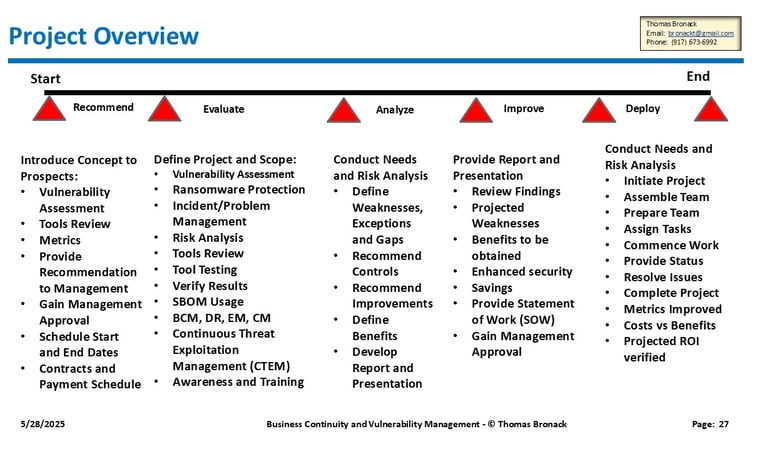
DCAG has developed a project plan to implement the Personnel Productivity System comprising of the following steps.

Figure 10: Implementing the Personnel Productivity System
The above project phases are associated with defining your company workflow, training, and recruitment needs, so that the Personnel Productivity System can be tailored to your specific needs and implemented.